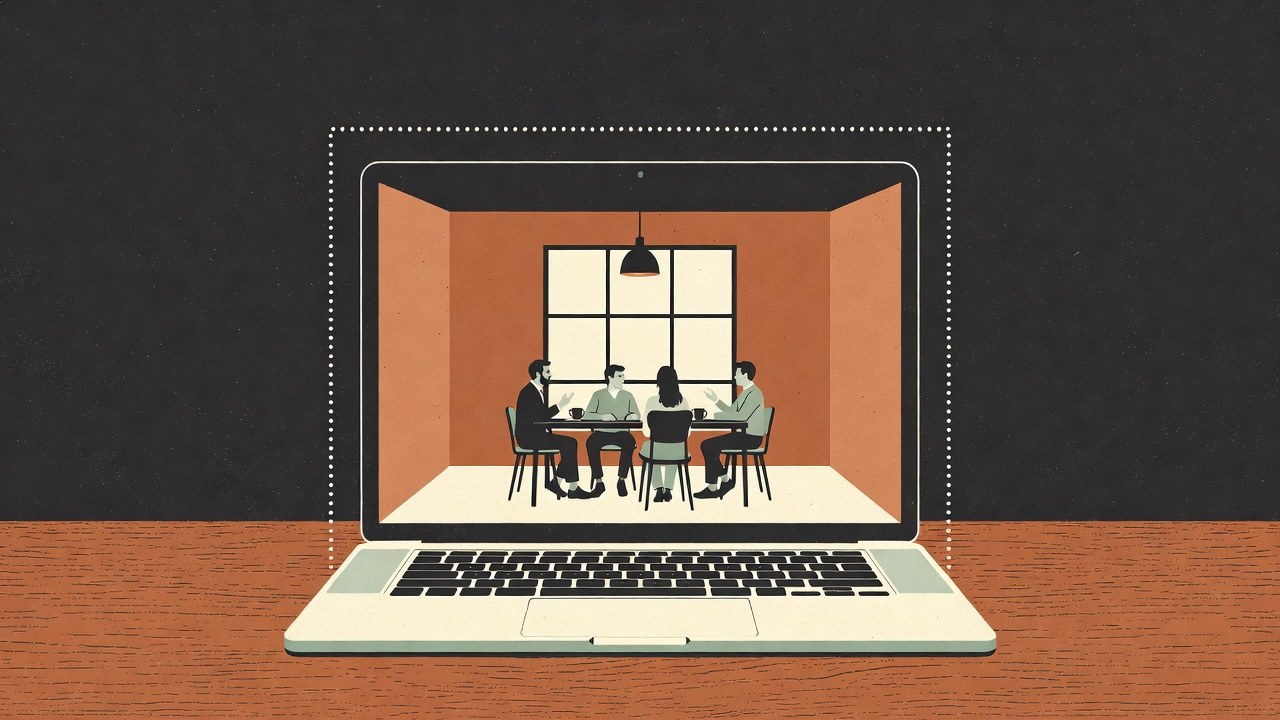
MidMeeting turns speech into text on your own computer. That part never leaves. But the advisors that leave notes in the margin, the questions you ask about a line, and the summary at the end all need an AI model to think with, and by default you connect one from Anthropic, OpenAI, Google or another company. Only the text goes there, only while the advisors are on, and only to the company you picked. For a lot of people that is already more private than any notetaker they have used. For some meetings it is still one company too many.
So here is the other way. Run a model on your own machine with a free app called LM Studio, point MidMeeting at it, and the text never goes anywhere either. No account, no key, no bill. I have been running it this way on my own desk while writing this. I timed it on my machine, then again with the graphics card switched off to stand in for an ordinary laptop, and for the Macs and laptops I do not own I quote other people's published measurements. The honest numbers are below, including the ones that are not flattering.
What "nothing leaves" means here
I want to be precise, because "100% private" is the kind of claim that makes me distrust a product page. With MidMeeting set to a local model, four things still touch the internet, and none of them carry your meeting:
- One download of the speech model. On first run MidMeeting fetches the whisper model it transcribes with, 1.6 GB, and never again.
- One download of the language model. LM Studio pulls the model you choose from Hugging Face, about 5 GB for the one I recommend below, and never again. LM Studio's own documentation is candid that searching and downloading models, and updating the app, need a connection, and that everything you type into a loaded model stays on the device.2
- Update checks. MidMeeting asks GitHub whether a newer version exists. LM Studio has its own updater. Neither carries a transcript.
- Your operating system. Windows and macOS phone home on their own schedule. No app can promise otherwise.
Everything else, the audio, the transcript, every note an advisor writes, every question you ask and every summary, is computed on your machine and stored in a folder on your disk. The diagram below is the whole data path.
Is my computer good enough?
Probably, and the honest answer depends on one thing: how fast your machine can read. Every time an advisor is consulted, MidMeeting hands the model the last ten minutes of the transcript plus a running summary of what came before. That is about 2,500 words to read before it writes a single word back. On a graphics card that takes a second or two. On a laptop with no graphics card it takes a while, and I put the actual times in the table further down. Here is how I would sort the machines people own:
Three kinds of computer, and what to expect from each
| Your machine | Will it work? | Model to pick | Feel |
|---|---|---|---|
| A Mac with an Apple chip (M1 or newer), 16 GB | Yes, comfortably | Gemma 4 E4B or Qwen3.5 4B | A note lands ten to twenty seconds after the sentence. Fine for two advisors. |
| A Windows or Linux laptop or desktop with a recent graphics card, 6 GB of video memory or more | Yes, and it is quick | Gemma 4 E4B, or a 9B model if you have 12 GB | Notes arrive about as fast as with a cloud model. Run as many advisors as you like. |
| A laptop with 8 to 16 GB of memory and no graphics card | Yes, with patience | Qwen3.5 4B, one advisor | A note takes twenty to forty seconds. Still useful, and the summary after the call is just slower. |
| An Intel Mac, or anything with 8 GB and a CPU older than about 2017 | Not really | Stay with a cloud key, or transcript only | LM Studio needs an Apple chip on Mac, and AVX2 on Windows and Linux.1 Recording and the live transcript still work fine on these machines. |
LM Studio's own requirements page says it plainly: Apple silicon and macOS 14 or newer on Mac, 16 GB of memory recommended everywhere, and on Windows "at least 4GB of dedicated VRAM is recommended", with the note that 8 GB Macs "may still" work if you stick to smaller models and modest context sizes.1 Everything in this article is with a small model, on purpose.
What you need
- MidMeeting, installed. Three free meetings, no card.
- LM Studio, free, from lmstudio.ai, for Mac, Windows or Linux.3
- About 6 GB of free disk for the model, and one good internet connection while it downloads.
- Ten minutes. Most of it is watching a progress bar.
Setup, in five steps
1Install LM Studio
Download it from lmstudio.ai and open it.3 It looks like a chat app, and it is one, but the part we want is the little server it can run in the background. You do not need an account and it never asks for one.
2Download one small model
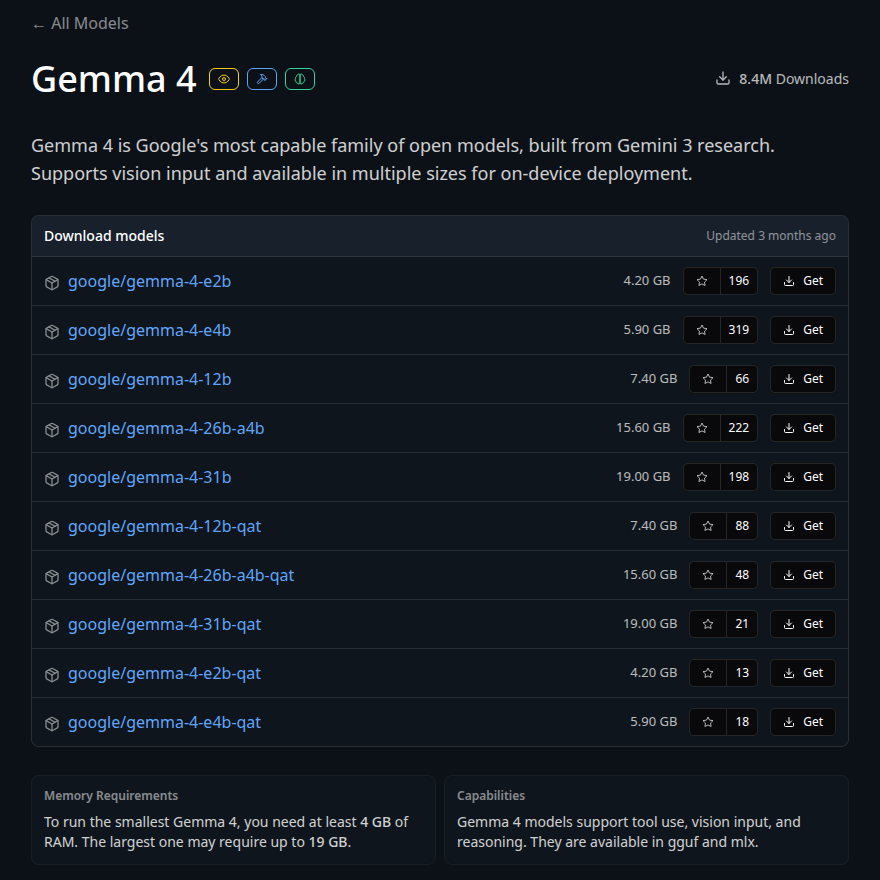
Open the Discover tab (the magnifying glass on the left, or Ctrl+2, Cmd+2 on a Mac), search for Gemma 4 E4B and click Download.4 It is Google's small model, about 5 GB on disk, and it is the one I used for every number below. If your machine is on the thin side, Qwen3.5 4B takes 2.7 GB on disk and less memory to run; in my tests it reads at the same speed, so pick it for the room it leaves, not for pace.5 Both are released under the Apache 2.0 licence, which means you can use them for anything, including your day job.6 LM Studio picks a quantised variant for you; the default is fine, and its own advice is to take a 4-bit option or higher if your machine can carry it.4
3Start the local server
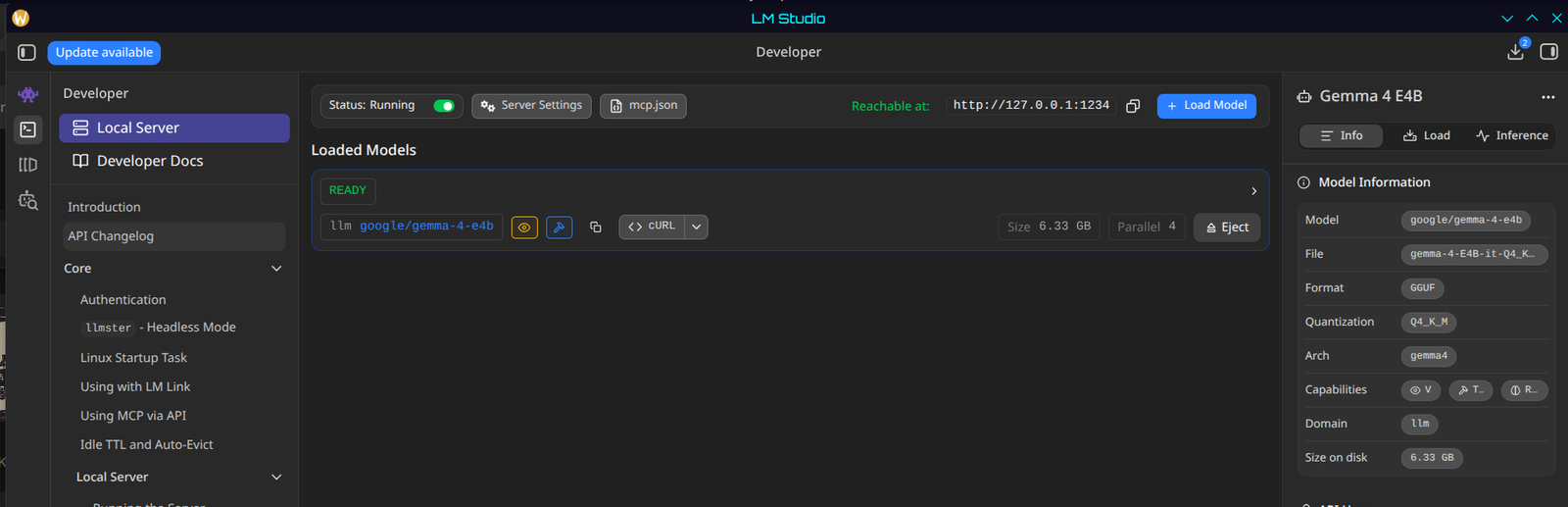
Open the Developer tab (the terminal icon on the left) and flip the switch labelled Start server.7 LM Studio now listens on your own machine at http://localhost:1234/v1, an address that only programs on this computer can reach.8 Load the model you downloaded from the dropdown at the top. Two settings matter when you load it, and both are in the loading panel:
- Context length. LM Studio's default is 8,000 tokens, roughly 6,000 words.9 The advisors fit in that easily. The summary and the questions you ask do not, because those read the whole meeting. Set it to 32,768 if you have the memory, 16,384 if not. An hour of talk is about 12,000 tokens.
- Reasoning off. Some models "think" before they answer, out loud, for a long time. MidMeeting asks the model not to, and if the model insists, the app shows a note that says "the model answered with nothing" and tells you to turn reasoning off in LM Studio. Gemma 4 E4B and Qwen3.5 4B both behaved with reasoning off.
4Point MidMeeting at it
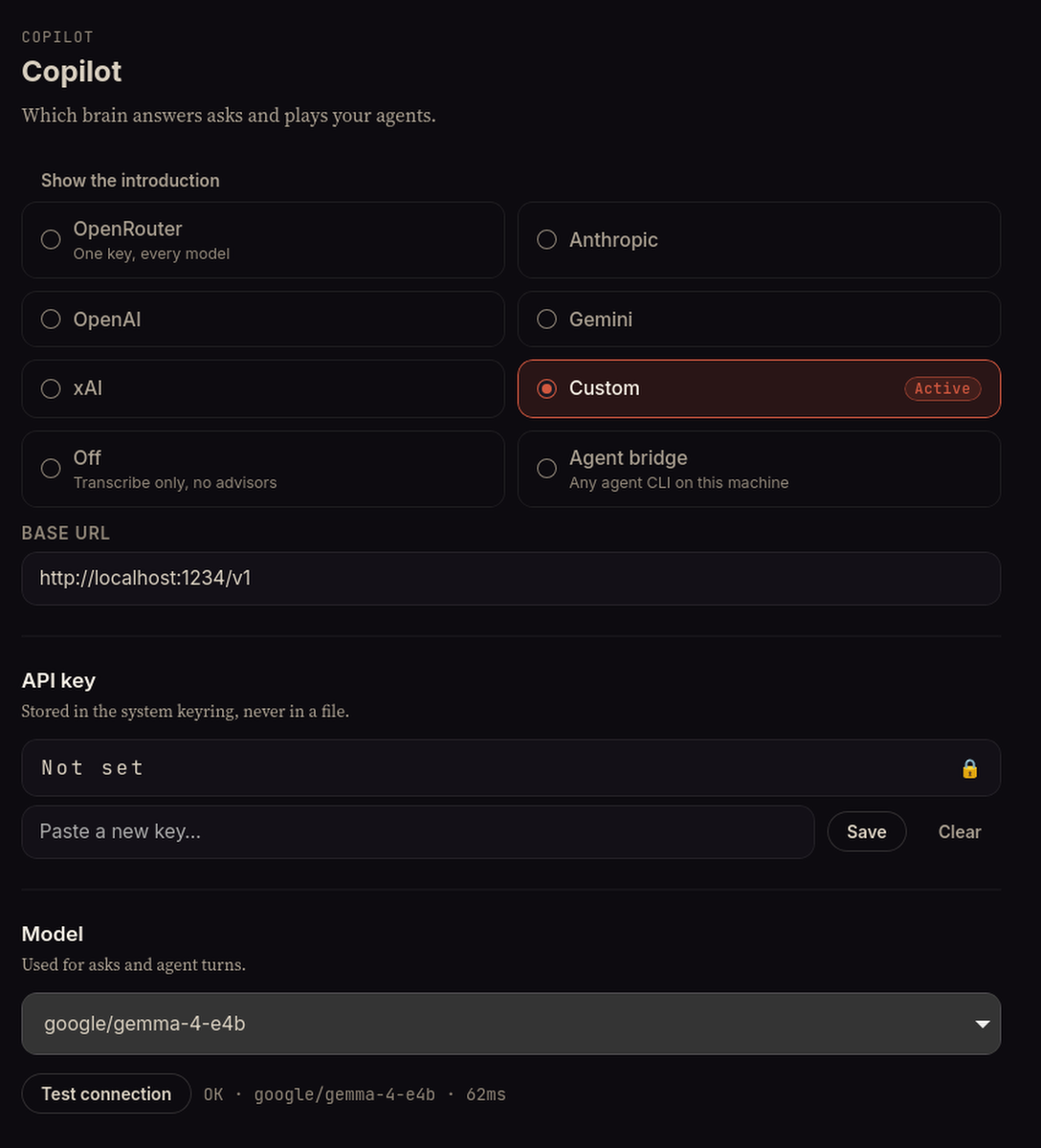
In MidMeeting, open Settings and pick the Custom card under Copilot. If you are setting the app up for the first time, the same choice is on the onboarding screen, where it is called A model on this computer. Put http://localhost:1234/v1 in the Base URL field and leave the key empty; LM Studio does not want one. The Model dropdown fills itself with whatever LM Studio has downloaded, so pick the one you loaded, then press Test connection. MidMeeting sends the model a one-word test and reports back with its name and how many milliseconds the round trip took. If you see "Could not reach the server", the switch in step 3 is off.
5Record a meeting
Pick one or two advisors and press record. The live transcript looks the same as always, because that part never changed. The first note takes a little longer than you may be used to, for reasons the next section explains, and then it settles into a rhythm. When the call ends, the summary tab writes the summary and the action items with the same local model. Nothing you did in these five steps sent a word anywhere.
What to expect: the real numbers
I measured this rather than guessing. The workload is the one MidMeeting actually produces: a running summary plus the last ten minutes of a real meeting transcript from my own archive, 2,539 tokens in, and a note of at most forty words out. I ran the same request against Gemma 4 E4B in LM Studio on my desk in two configurations, and I quote published measurements for the machines I do not own, with the source for each.
One advisor consultation: a 2,539-token window in, a forty-word note out
| Machine | Model | Reads the window | Writes | Note arrives | How I know |
|---|---|---|---|---|---|
| Desktop with a graphics card (RTX 5060 Ti, 16 GB) | Gemma 4 E4B | 0.6 s (4,400 tokens/s) | 90 tokens/s | about 2 s | measured, this article |
| Same desktop, graphics card switched off, 8 threads, the CPU of a four-core laptop | Gemma 4 E4B | 32 s (78 tokens/s) | 12 tokens/s | about 37 s | measured, this article |
| Desktop with a graphics card (RTX 5060 Ti, 16 GB) | Qwen3.5 4B | 0.7 s (3,800 tokens/s) | 160 tokens/s | about 2 s | measured, this article |
| Same desktop, graphics card off, 8 threads | Qwen3.5 4B | 34 s (73 tokens/s) | 13 tokens/s | about 38 s | measured, this article |
| MacBook Air, M2, 16 GB | Llama 3.1 8B, twice the size of Gemma 4 E4B | 15 s (168 tokens/s) | 19 tokens/s | about 18 s | LocalScore13 |
| MacBook Air, M1, 8 GB | Llama 3.1 8B | 19 s (134 tokens/s) | 15 tokens/s | about 23 s | LocalScore13 |
| Laptop with an RTX 3050 | Llama 3.1 8B | 3.2 s (790 tokens/s) | 24 tokens/s | about 6 s | LocalScore13 |
| Desktop with an RTX 3060, 12 GB | Llama 3.1 8B | 1.7 s (1,488 tokens/s) | 52 tokens/s | about 3.5 s | LocalScore14 |
Two caveats on that table, so nobody accuses me of grading my own homework. My desktop is a fast one, so I turned the graphics card off and pinned the model to eight threads to stand in for a laptop, and that row is if anything pessimistic: a modern laptop CPU with fast memory should land between it and the M2. The LocalScore rows come from other people's benchmark uploads of an 8B model, twice the size of the one I recommend, so they are upper bounds: a 4B model reads and writes roughly twice as fast on the same machine. "Note arrives" is reading plus writing plus about one second for MidMeeting to decide the speaker has finished.
One small thing I noticed while measuring: on the same ten-minute window, Gemma wrote a question about who owns the rollback plan, and Qwen mostly answered PASS. Both are defensible calls, and it is a fair picture of what a 4B model is like as a colleague: it will not embarrass you, and it will not always spot the thing.
Two things follow from that table. First, on a graphics card a local model is not a compromise on speed at all. Second, on a plain laptop the reading is what costs: the model spends most of its time absorbing the transcript window and only a moment writing. That is why one advisor is the right number there: MidMeeting consults every advisor you armed at the same time, and LM Studio answers them one after the other, so two advisors on a slow machine take twice as long.
The cadence setting matters less than it looks. Whatever you pick, each advisor writes again only after a cooldown, a minute and a half on relaxed, forty-five seconds on balanced, twenty on chatty. On a slow machine, balanced is the right setting: the model finishes reading one window before the next one is due.
Where the local model falls short
I would rather you find this out here than in a meeting.
- It is a 4B model, not a frontier model. Notes are blunter. It catches the missing owner and the unchallenged number. It is less good at the subtle thing, the claim that is technically true but misleading, and its questions are sometimes ones a sharp colleague would have already answered from context. For a call where the notes have to be sharp I would still use a cloud key, and MidMeeting lets you switch providers in Settings between two meetings.
- The summary is slower. The advisors read ten minutes at a time. The summary and the questions read the whole meeting, so after an hour-long call on a laptop with no graphics card you will wait about three minutes for the report, at the reading speed I measured. On a graphics card it is a few seconds.
- Your fan will spin. Only while the model is reading. Between consultations it sits idle, and if LM Studio loaded the model on demand it unloads it after an hour idle, then reloads it on the next request, which adds a few seconds to the first note of the next meeting.10
- It is one more app to keep open. LM Studio has to be running with the server on. It can start on login and sit in the tray.11
What you get in exchange is the thing the hero image shows: a meeting that stays inside one computer, at no cost per meeting, for as long as you own the machine.
Questions people ask
Do I need to know how to code?
No. Every step above is a click, a search box or a switch. The only thing you type is an address, and it is the same address for everyone.
Is it free?
LM Studio costs nothing to download, and its terms allow personal and internal business use.3, 12 The models are free too. MidMeeting is $39 once, after three free meetings. There is no per-meeting cost of any kind on the local path, which is the whole reason I built the option in.
Do I need the internet during the meeting?
Not for MidMeeting. Once both downloads are done you can pull the cable and everything in this article still works. You probably want the internet for the meeting itself.
Will it slow down my computer?
While the model reads, yes, the same way exporting a video does. Between consultations it does nothing. Close the heavy apps you are not using during the call and you will not notice it on a 16 GB machine.
Is my data really private?
The audio, the transcript and the notes never leave your disk, and the model that reads them runs at an address only your own computer can reach. The four things that do touch the internet are listed at the top of this article, and none of them is your meeting.
Sources
- System requirements, LM Studio docschecked 7 September 2026
- Offline operation, LM Studio docschecked 7 September 2026
- Download LM Studio, lmstudio.aichecked 7 September 2026
- Download an LLM, LM Studio docschecked 7 September 2026
- Qwen3.5, LM Studio model cataloguechecked 7 September 2026
- Gemma 4 E4B GGUF, Hugging Face and Qwen3.5 4B GGUF, Hugging Facechecked 7 September 2026
- Local server, LM Studio docschecked 7 September 2026
- OpenAI compatibility endpoints, LM Studio docschecked 7 September 2026
- LM Studio 0.4.16 changelog, default context lengthchecked 7 September 2026
- Idle TTL and auto-evict, LM Studio docschecked 7 September 2026
- Run LM Studio as a service, LM Studio docschecked 7 September 2026
- Terms of use, lmstudio.aichecked 7 September 2026
- Llama 3.1 8B Q4_K_M results by accelerator, LocalScorechecked 7 September 2026
- GeForce RTX 3060 12 GB, LocalScorechecked 7 September 2026